ADT Link PCIe 5.0 x4 to M.2/M.3 NVMe Solid State Drive Adapter Cartridge Support Gen5
Brand:ADT
Model:R24A,R24B
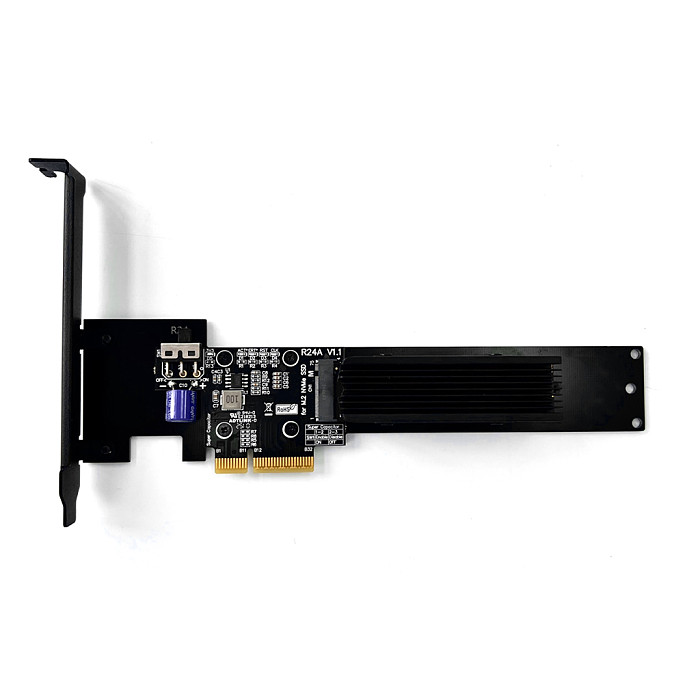
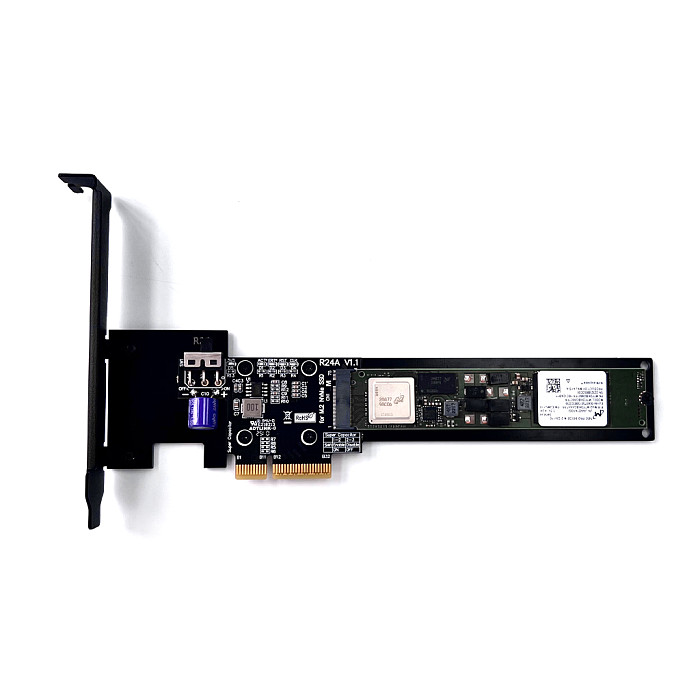
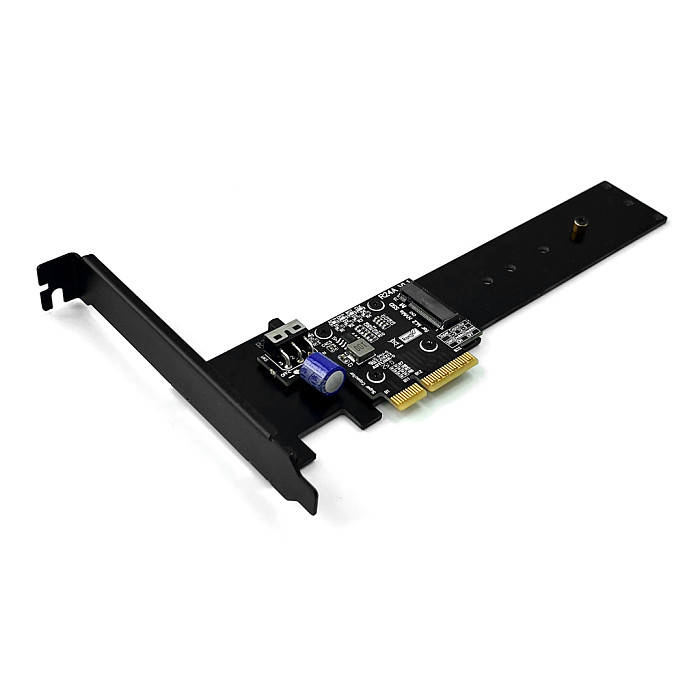
Product Name:PCIe 5.0 x4 to M.2 NVMe Adapter Card
PCIe 5.0 x4 to M.2/M.3 NVMe Adapter Card
Speed bandwidth: PCIe 5.0 x4 (backward compatible with PCIe 3.0/4.0)
Purchase Tips: Be sure to buy 1~2 samples to test and verify the correctness before purchasing in large quantities.
Product Model Description:
|
Model
|
Content Description
|
Speed Bandwidth
|
|
R24A
|
PCIe 5.0 x4 to M.2 NVMe Adapter Card
|
Gen5 x4
|
|
R24B
|
PCIe 5.0 x4 to M.2/M.3 NVMe Adapter Card
|
Gen5 x4
|
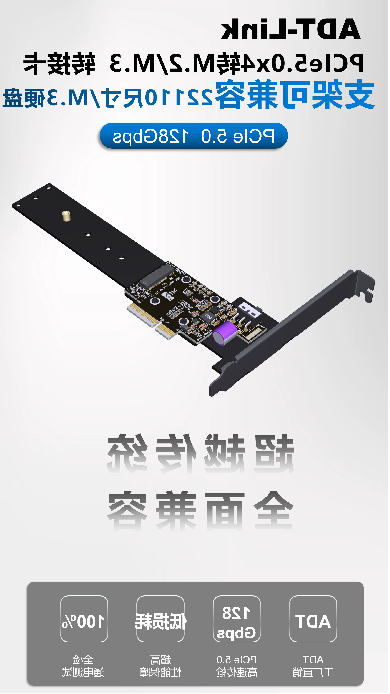


Product Advantages.
1. Support PCIe 5.0 X4 compatible with Gen3/Gen4/Gen5.
2. Uniquely designed bracket base plate, multi-size compatible
3. Power failure protection design, when the device suddenly power failure, the capacitor can still provide power for the SSD for a short period of time, can protect the SSD safety.
4. R24B is compatible with M.3 NVMe SSDs and can be switched automatically according to the type of hard disk.
5. Gold-plated gold finger, gold thickness up to 10U, in line with IPC level 1 international standards.
6. High-frequency, low resistance, high-temperature resistant and anti-oxidation PCB boards, non-deformation of the color yellow crystal semi-transparent, non-white and non-black.
Technical issues in general:
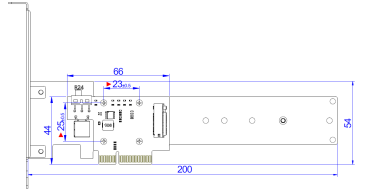
Bracket size for model R24A:
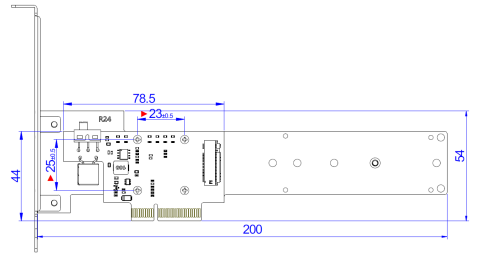
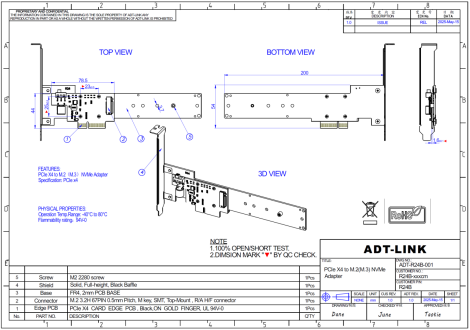
Bracket size for model R24B:
How about the R24A indicator light is normal?

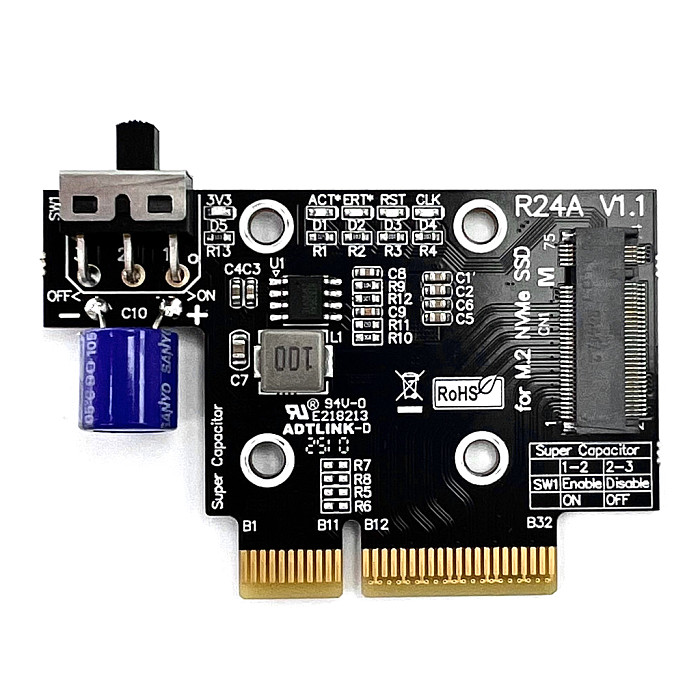
R24A has five indicator lights: D1 light for read/write light, will blink during the read/write process; D2 for the fault light, under normal circumstances for the off state; D3 light for the RESET light, under normal circumstances will only be flashing once in the power-on state; D4 light for the REQCLK # light, under normal circumstances for the normal state; D5 light for the power supply indicator light, under normal circumstances for the normal state.
How about the R24B indicator is normal?
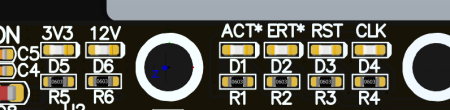
The R24B has six indicator lights: D1 light is the read/write light, which blinks during the read/write process; D2 is the detection light, which is normally off when using an M.2 hard disk, and normally normally on when using an M.3 hard disk; D3 light is the RESET light, which normally only blinks once under power-on conditions; D4 light is the REQCLK# light, which is normally on; D5 light is the 3.3v power indicator, normally on when using M.2 hard disk, off when using M.3 hard disk (normally on when capacitor switch is turned on); D6 light is 12v power indicator, off when using M.2 hard disk, normally on when using M.3 hard disk.
What are the switches on R24A and R24B for?
The switches are used to control the charging and discharging of the capacitors, and when on, they reduce the risk of hard disk damage in the event of a sudden power failure of the device.
What is the difference between models R24A and R24B?
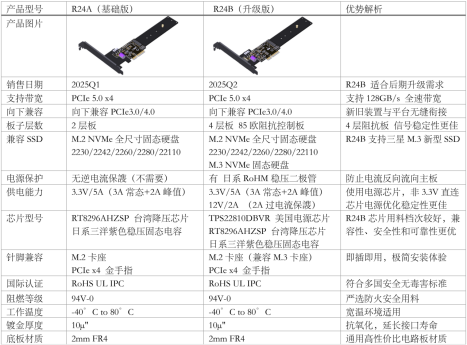
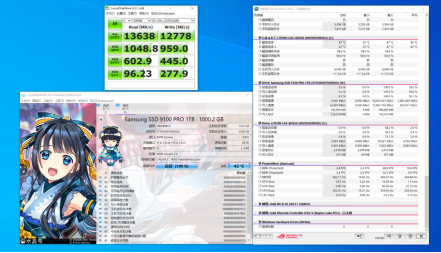
Do models R24A and R24B support 5.0?
Lab test can reach PCIe5.0, the actual test data is shown below:
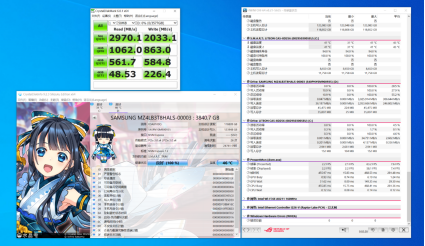
What is the read/write speed of Model R24B with M.3 hard disk?
Lab test can reach about 3000MB/s, the measured data is shown below:
R24A Data Sheet:

R24B Data Sheet:
Download link:
Open 3D PDF files. Please use Adobe Reader DC software.
3D Step & 3D PDF files download.
https://www.adtlink.cn/download/ADT_R24x_3D.zip
Schematic file download:
https://www.adtlink.cn/download/ADT R24A v1.1 SCHEMATIC 20250403.pdf
https://www.adtlink.cn/download/ADT R24B V1.0 SCHEMATIC 20250509.pdf
Specification file download:
https://www.adtlink.cn/download/ADT R24A Adapter Card specification 20250515.pdf
https://www.adtlink.cn/download/ADT R24B Adapter Card specification 20250515.pdf









Customer Reviews